Why watch other people's lives?
Watch your own
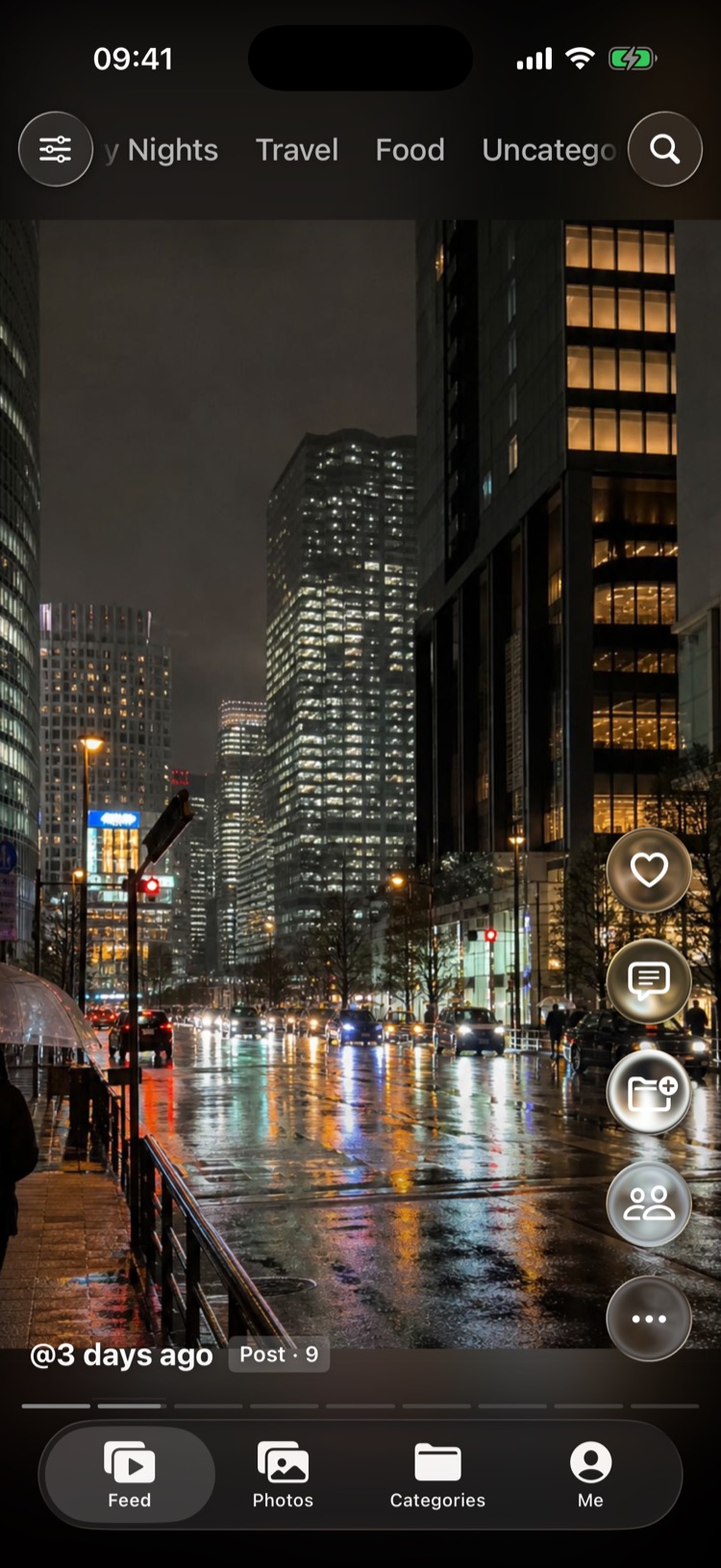
Your life is wonderful too. Thousands of videos sit in your phone, most never watched again. Lumora turns them into a swipeable feed and arranges your photos into posts — your library gets organized as you scroll.
No sign-up · Your photos stay on your phone
The bigger your library, the less you open it
The system library is great at storing, not at watching or organizing.
of videos sit in your library — rewatching means opening, closing and tapping the next one, over and over.
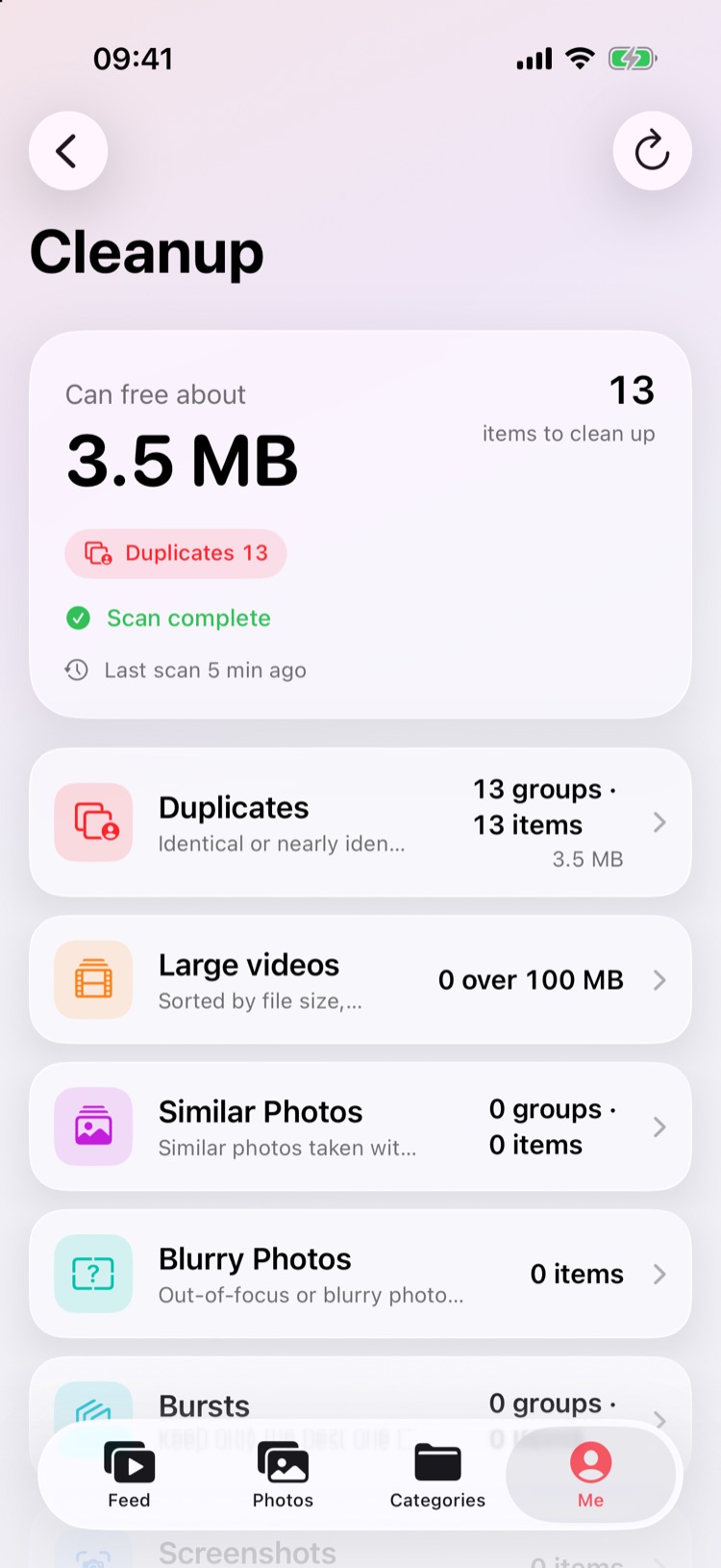
of duplicates, bursts and screenshots take up space, and you don't know where to start.
of deleting something important, so you never clean up at all.
Three steps
No sign-up, no importing — open it and it's your library.
Lumora reads your system library directly. Nothing is uploaded.
Swipe through videos; photos are grouped into posts by time. Double-tap anything you like.
Tap to categorize, mark to delete, and clear duplicates in one tap.
Fun to watch, fast to organize
Almost every action takes a single finger.
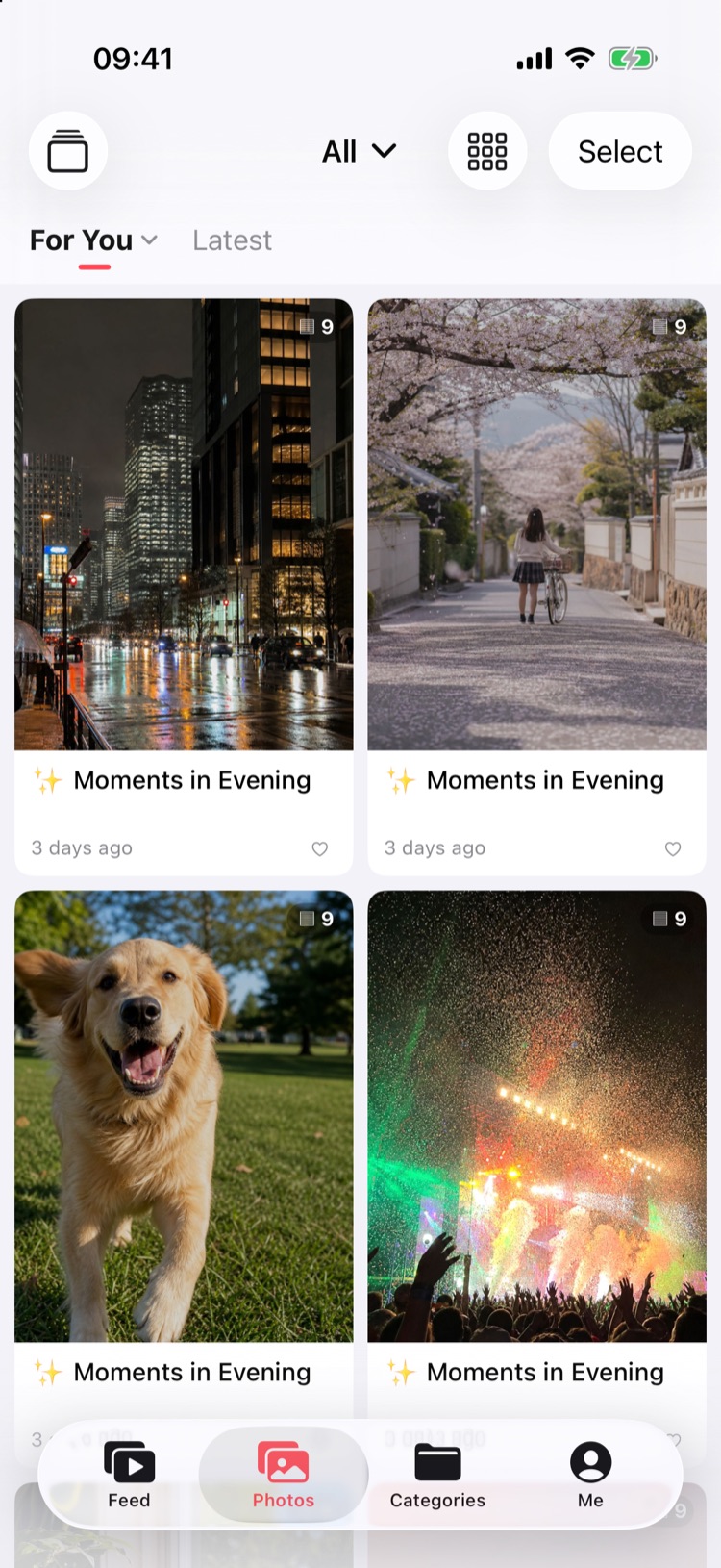
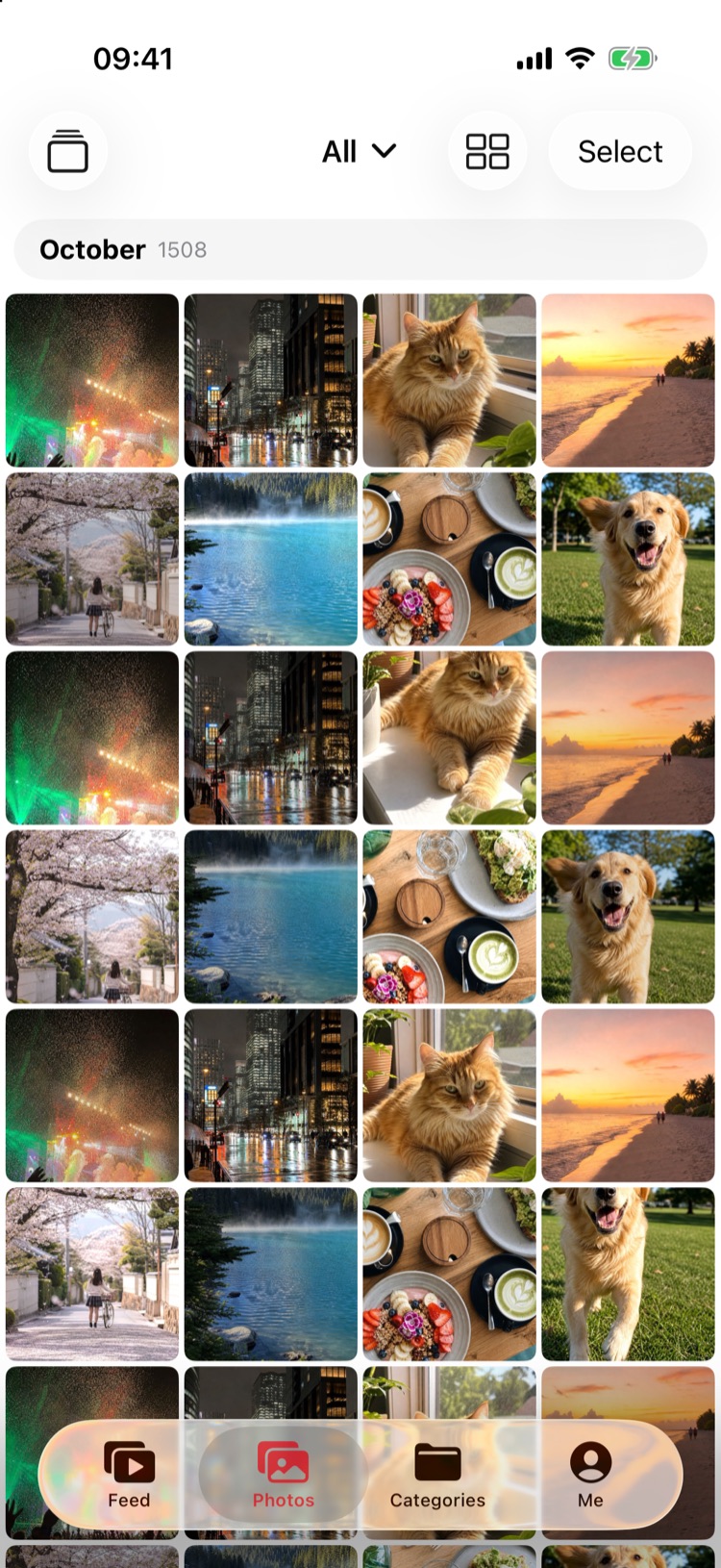
Photos laid out like Xiaohongshu
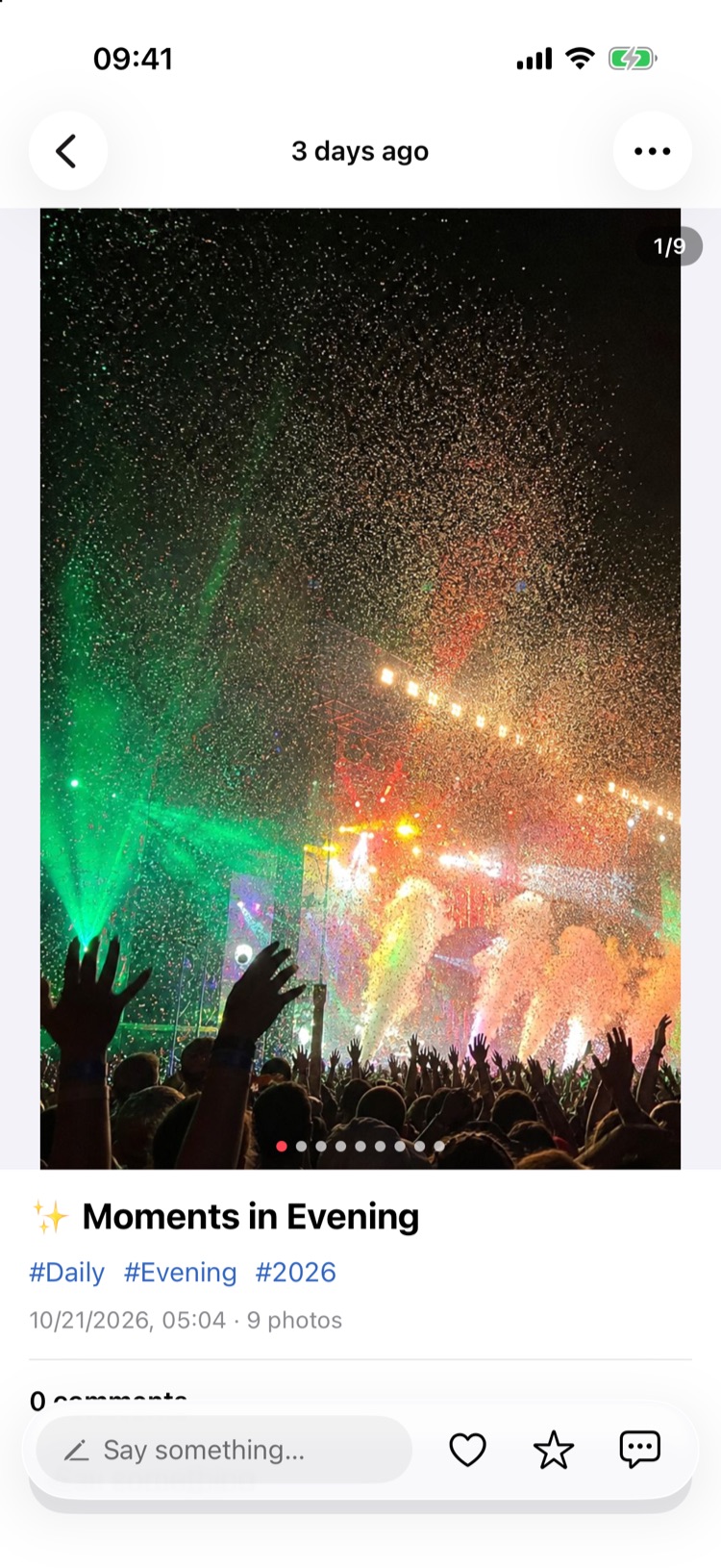
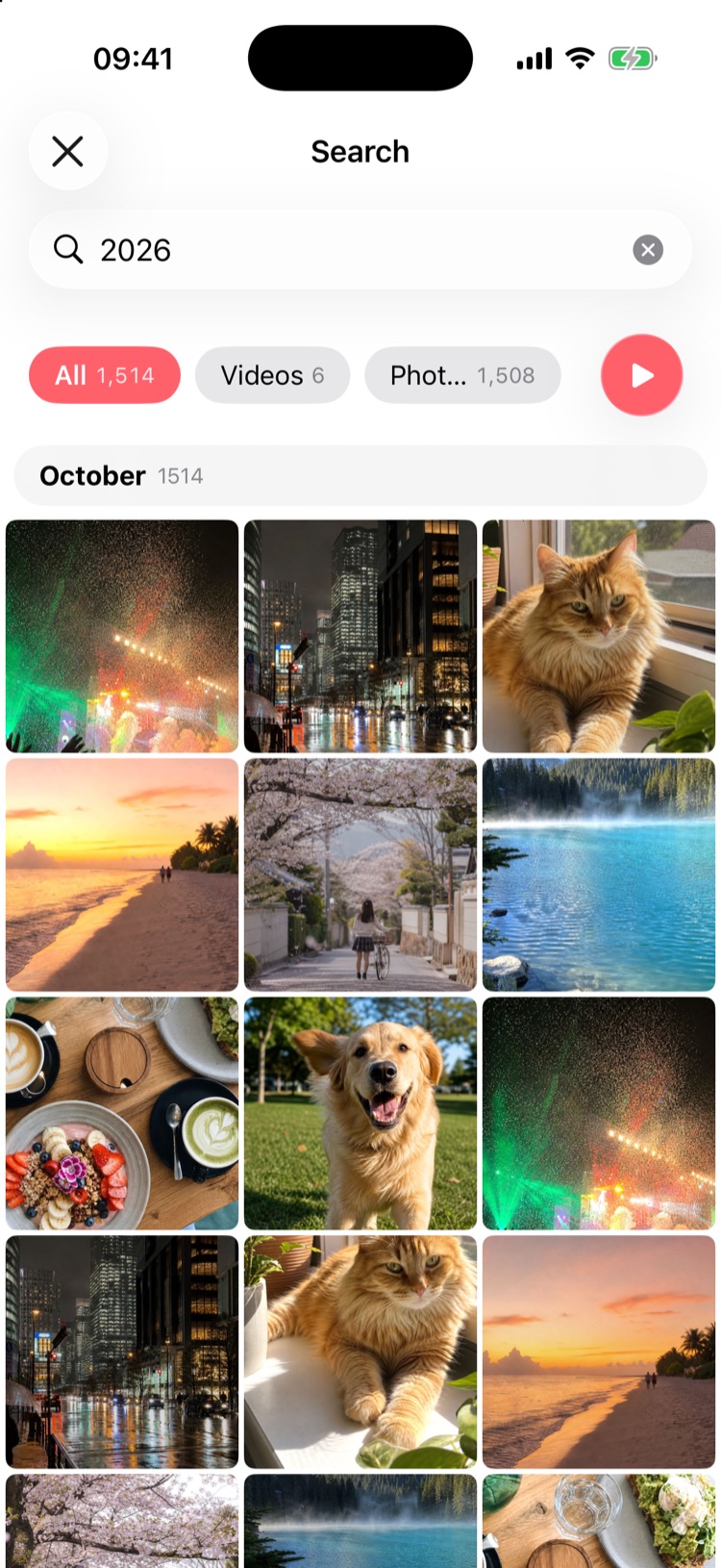
Photos taken around the same time become a post with a title and tags, in a two-column feed. Open it to swipe through the set; pull down for new picks.
- For You / Latestplus filters like travel, food and pets
- Double-tap to likefavorite or categorize a whole post, add comments
- Live Photos and GIFsplay right inside posts
Long-press for 2×, swipe up to lock
Hold to fast-forward, release to return; swipe up while holding to lock 2× — it stays on for the next video too.
- Drag sidewaysto seek
- Landscape videosone tap to full screen
- Shufflefilter by length, resume where you left off
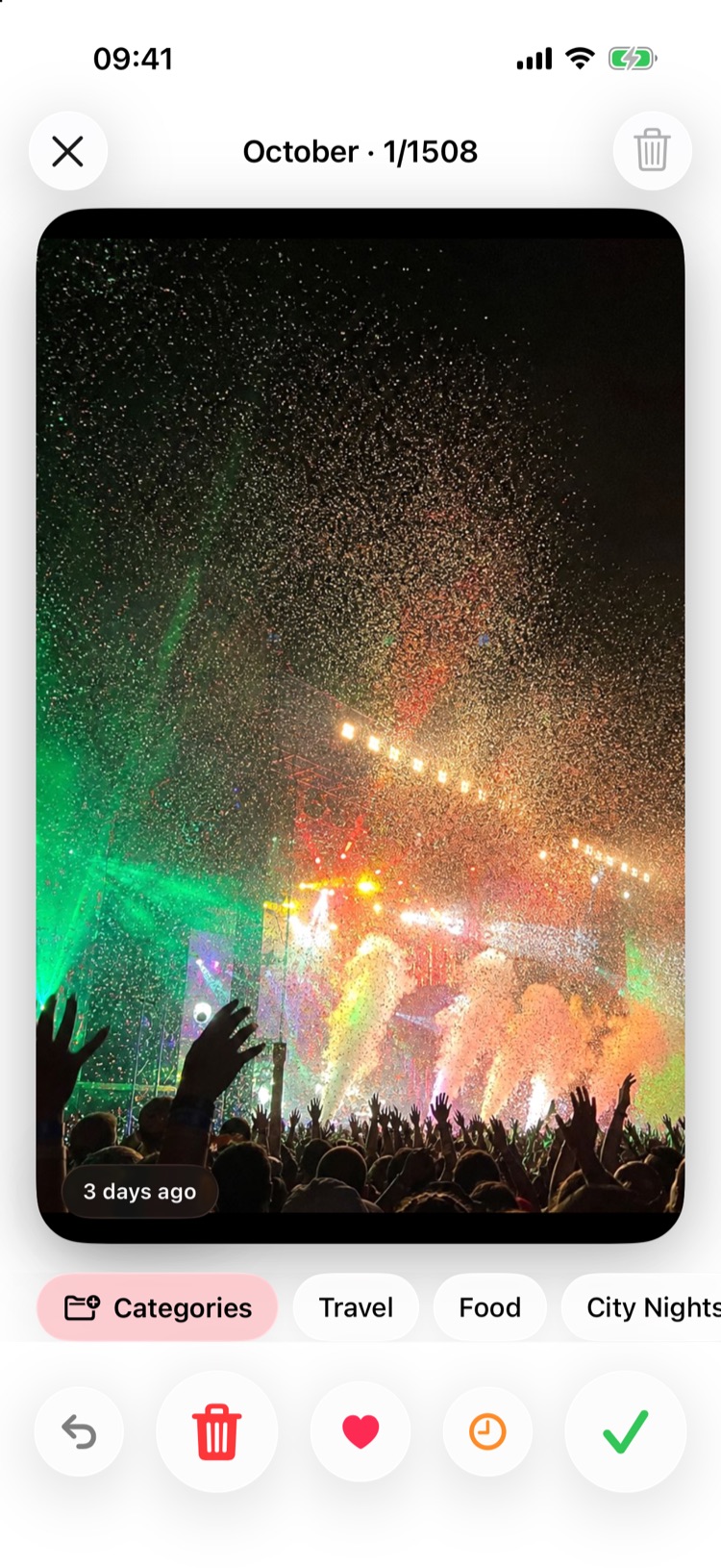
Sort cards: swipe left to delete, right to keep
Flip through your library like cards and swipe up to favorite. Deletions go to “To delete” first and are confirmed once — undo anytime.
- Consistent gesturesdouble-tap to like in the feed; double-tap to zoom and swipe to page in full screen
- Long-press ❤️to pick a favorites album
- Multi-selectdelete, categorize, favorite, hide, share
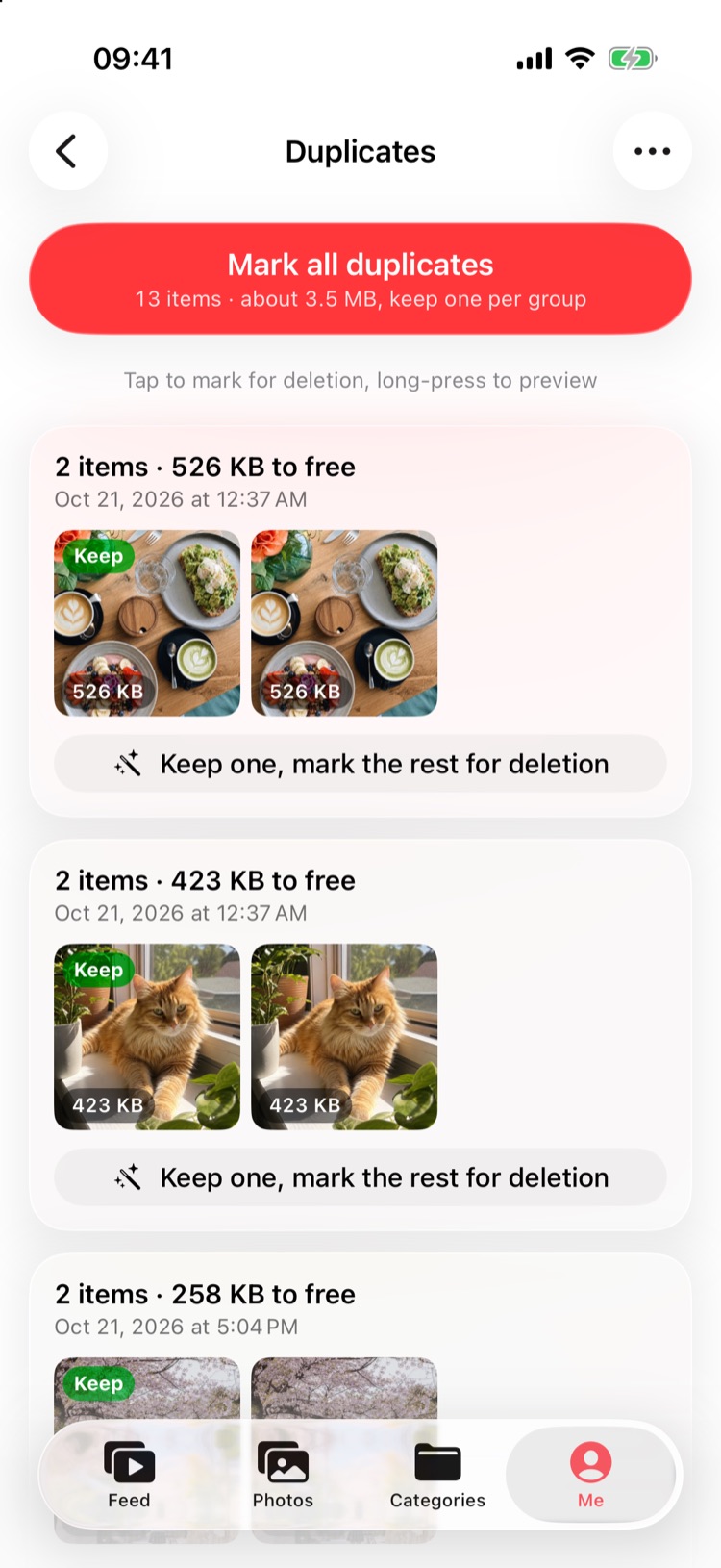
Spot duplicates at a glance
Identical and near-identical photos and videos are analyzed on your iPhone; the best one is kept and the rest marked in one tap.
- Duplicatesphotos and videos — favorites are always kept
- Similar photos · bursts · screenshotshandled in groups
- Large videossorted by size, with how much you can free
Your library stays on your phone
Lumora has no servers of its own and no accounts. Duplicate detection, similar photos and post tags all run on your iPhone.
Read the privacy policy- No photos, videos or usage data are uploaded
- Comments live only in your own private iCloud database, encrypted
- No ads, analytics or third-party SDKs
- Deletions only go to Recently Deleted, recoverable within 30 days
- Categories are system albums — they stay even if you delete Lumora
- Face ID is verified by iOS; Lumora never sees your face data
Questions you might have
Can I get deleted items back?
Yes. All deletions go through the system and only move to Recently Deleted in Photos, where they can be restored within 30 days. The system also asks you to confirm.
Can I see Lumora's categories in Photos?
Yes. Every category is an album in the Photos app, synced both ways in real time.
Can it play videos stored in iCloud?
Yes. When the original is only in iCloud, Lumora downloads it through the system and shows the progress.
Could duplicate detection delete the wrong thing?
It only suggests — nothing is deleted automatically. Each group marks the suggested keeper, favorites are never suggested for deletion, and you confirm at the end.
Can photos be moved straight into the iCloud Shared Library?
Apple only lets the Photos app move items into the Shared Library. Lumora lets you collect what you want to share into an album as you scroll, then open Photos and move them all at once.
Can other people see my comments?
By default they only sync to your own iCloud. Only after you start “Shared comments” and invite someone can the two of you see each other's comments.
Does it work offline?
Yes. Everything runs on your iPhone with no connection needed. Only photos and videos whose originals are stored in iCloud need a connection to load.
What do I need?
An iPhone, iPad or iPhone Duo with iOS 26 or later.

Start watching your own library
Lumora is now on the App Store for iPhone, iPad and iPhone Duo.
Requires iOS 26 or later.